


Income Expense Tracker
$10.00
Description
Our income expense tracker is a powerful spreadsheet designed specifically to allow you to keep track of your taxes, income and expenses.
Keep track of your finances with this powerful easy to use spreadsheet.
How do I receive this product?
Once payment has been completed you will gain access to a digital pdf file.
[ez-toc]
Features
- Add up to 18 income types.
- Add up to 18 expense types.
- Add your paid taxes.
- Add your income.
- Add your expense.
- Monthly Income/Expense Analysis.
- Compare Expense, Income and Profit with a choice of 3 months.
- Tax Analysis.
- Annual Review.
- Change Settings.
How to Use
All you need to do is change the settings and data in the following spreadsheet tabs:
- Settings Tab – Add income and expense type.
- Edit Tax Tab – Add taxes collected and paid.
- Edit profit Targets Tab – Add your profit targets.
- Edit Income Tab – Add your income.
The reports are then updated automatically with the data and settings you have updated above.

Annual Review Reporting Dashboard
This is the main dashboard. As you can see below this gives you a comprehensive overview.
Monthly Income/Expense Report
Track the data of any month. Simply choose the month and the data will auto populate.

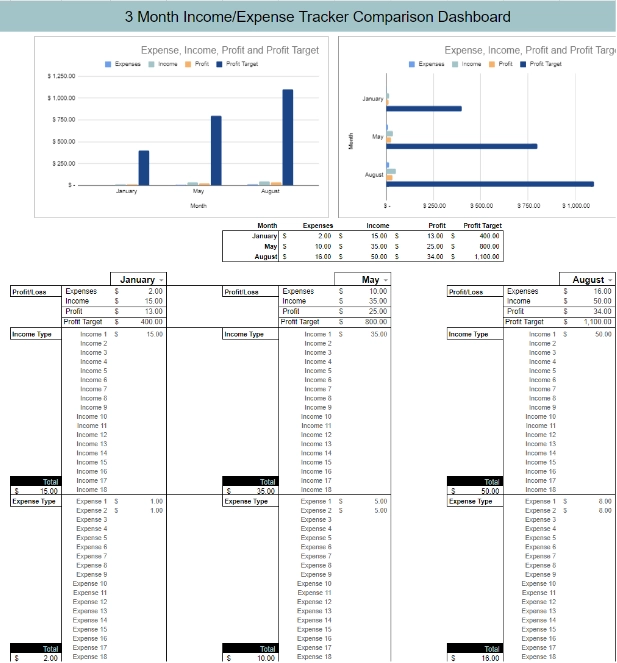
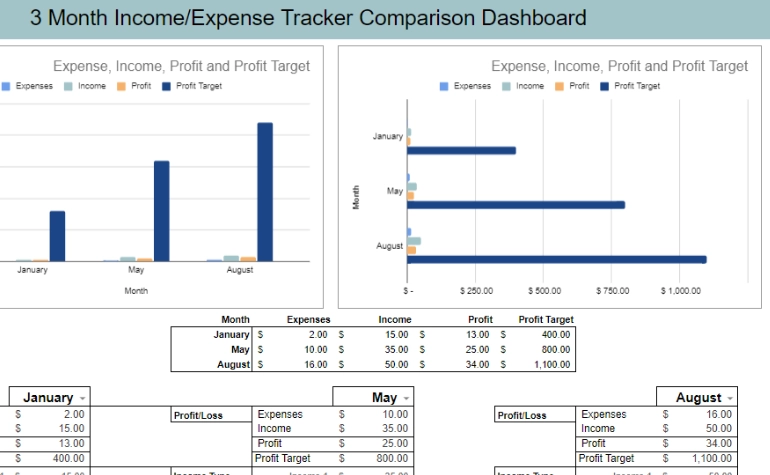
3 Month Comparison Report
Need to compare 3 months worth of data? This powerful reporting tool allows you to do this.
As an example you could compare summer months vs winter months and income and expense spending.
This report will to analyze any 3 months.
It is simply just a matter of choosing the months in the drop down and the data is auto populated. as an example in the image below the months of January, May and August.
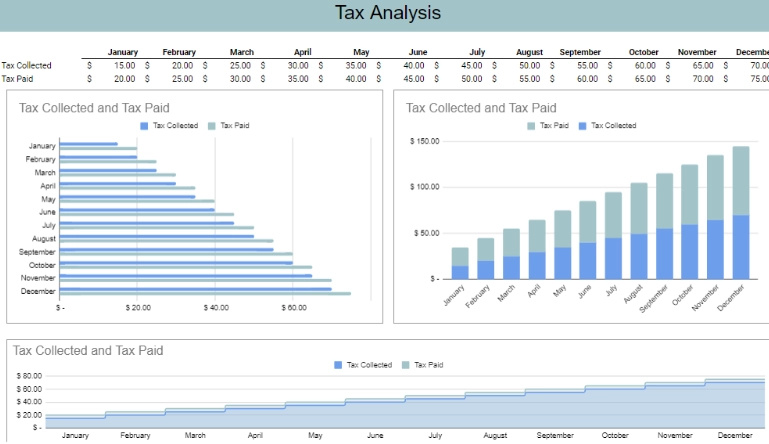
Tax Analysis
Compare tax collections and tax paid with this automated graph chart.
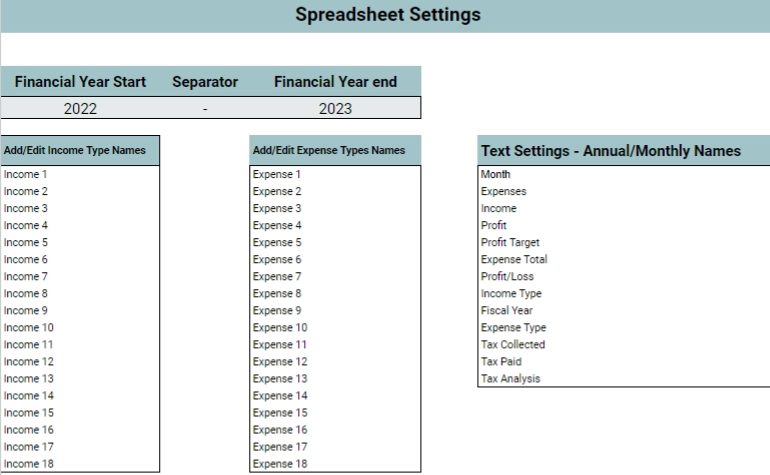
Spreadsheet Settings
To change the settings all you need to do is go into the settings tab and replace the income and expense text to suit your needs.
You can also change a few other text settings as well.
Font & Color Changes
You can change these to suit from within Google Sheets.
Software Needed
No additional software purchases is required. All you need is a google account and access to Google Sheets via web browser. Alternatively you can use the Google Sheets free app for Tablets and Phones.